For everything you save on Instagram, TikTok and YouTube

Your saves,
finally sorted.

FitClips turns the posts you save into a library you actually use. Workouts are cut into one clip per exercise. Recipes are written out step by step. Everything else is kept with a short summary.

Download on the App Store Get it on Google Play
Import from Instagram TikTok YouTube
FitClips Move tab with saved workouts FitClips Eat tab with saved recipes FitClips Live tab with saved places and links

From your feed to your library.

  1. 1

    Share the post

    Tap Share on Instagram, TikTok or YouTube and pick FitClips. Or copy the link and paste it into the app.

  2. 2

    Say what it is

    Choose what FitClips should do with it.

    ClipRecipeSave
  3. 3

    Find it ready

    It lands in Move, Eat or Live. Most posts are done in one to three minutes, and we send a notification when yours is ready.

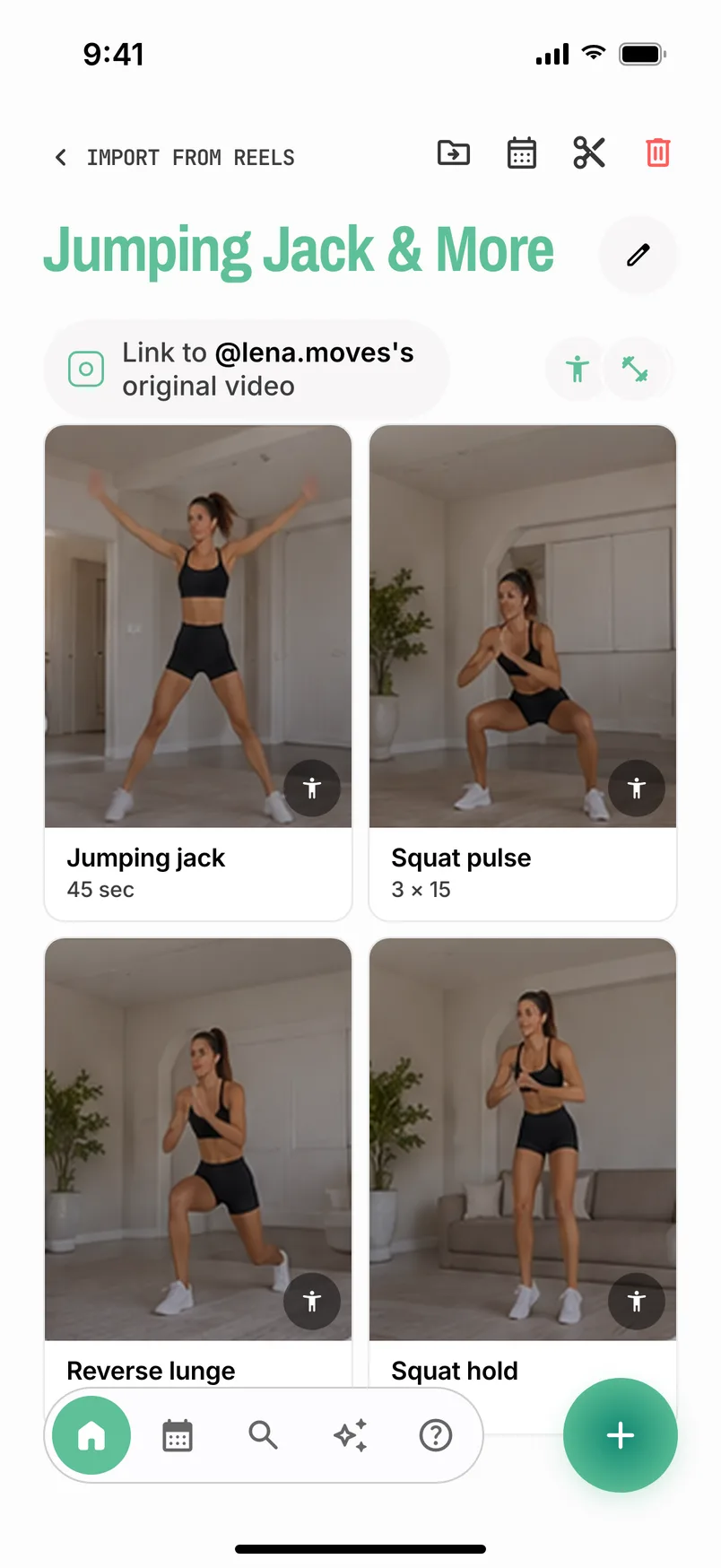
A saved workout split into separate exercise clips
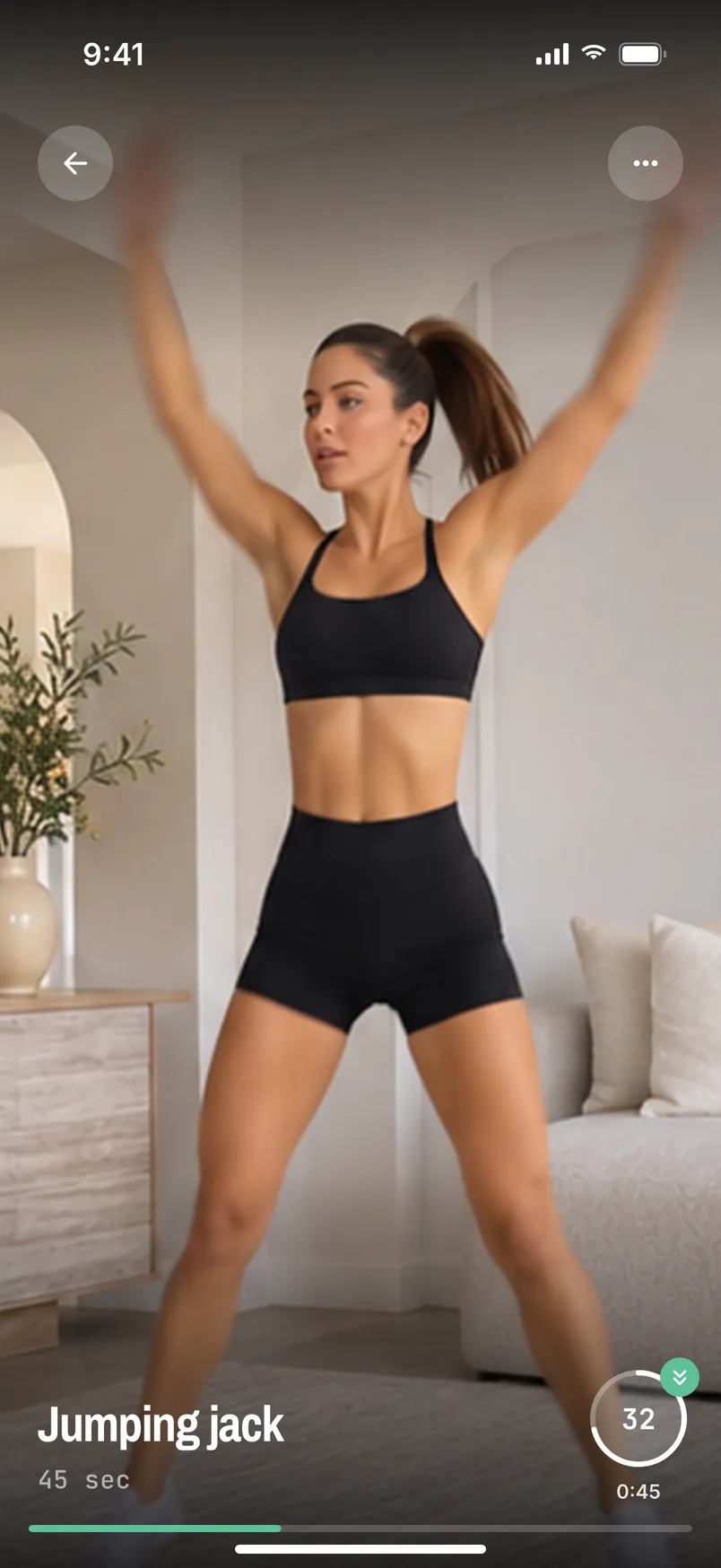
An exercise clip playing with the move timer
Move

Workouts, cut into clips.

FitClips watches the video and cuts it into separate exercises, so you follow along one move at a time instead of scrubbing through a reel.

  • One clip per moveUp to 12 clips per video, each with its own title.
  • A timer for every moveSet the time in 5-second steps. Auto-next goes to the next move.
  • Re-cut if it's wrongMoves missing or cut in the wrong place? Tap the scissors.
  • Folders and searchLegs, Abs, Reformer. Search by body part or equipment.
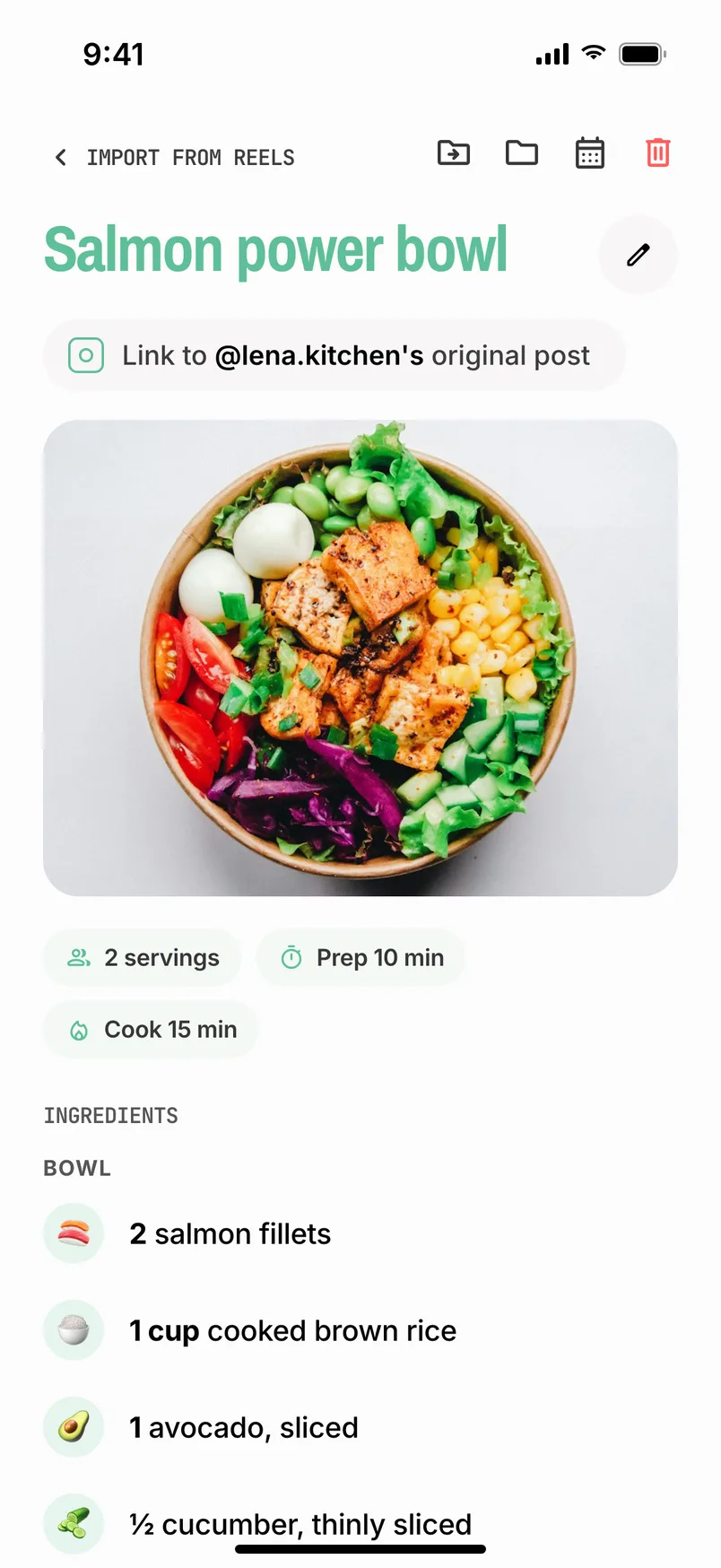
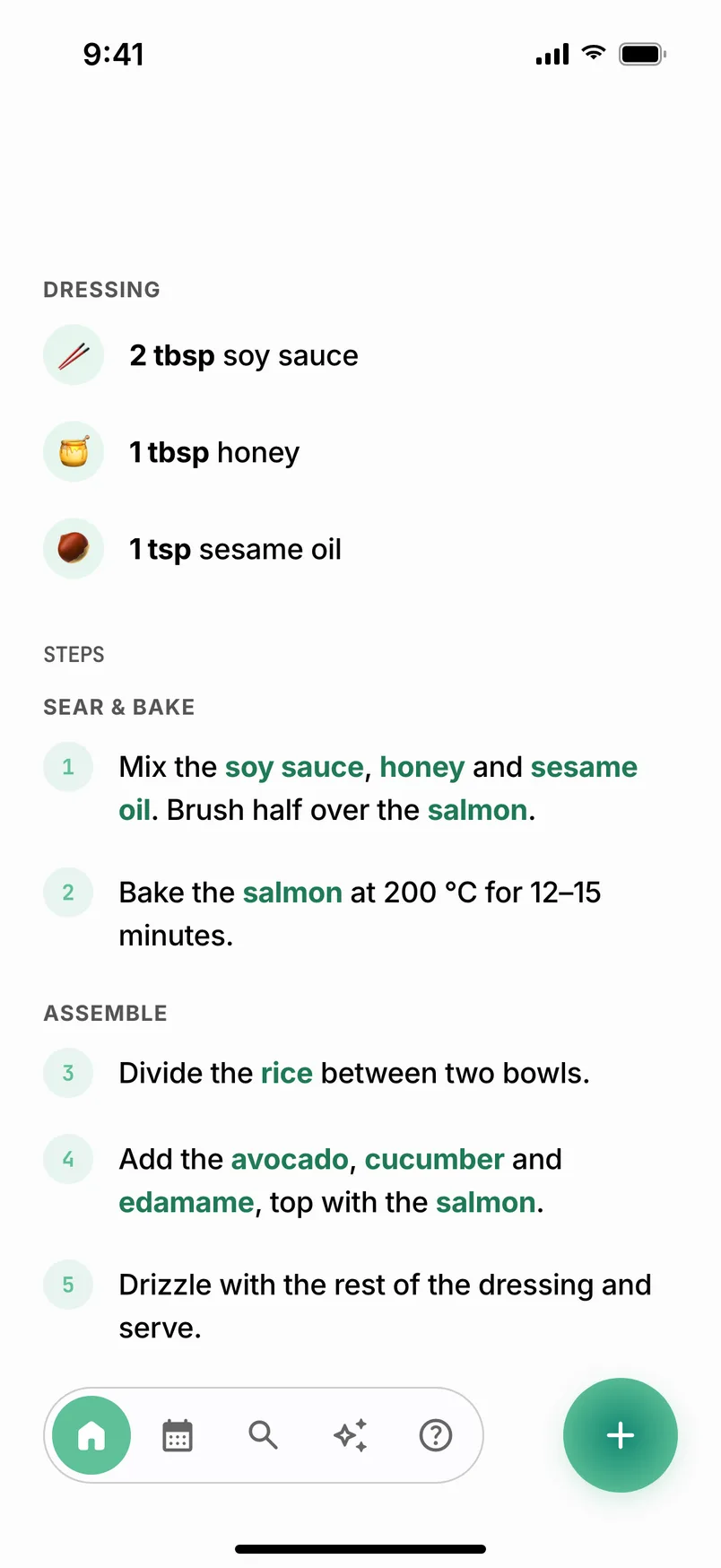
A recipe saved from Instagram, with ingredients
Recipe steps written out by FitClips
Eat

Recipes, written out step by step.

FitClips reads the post, the video, the photo slides and any recipe link in the caption, then writes out the ingredients and the steps.

  • Carousels tooTen recipes on ten slides become ten recipes. Up to 20 per post.
  • Reads all of itIngredients said out loud in the video count too.
  • Edit anythingChange an amount, add an ingredient, rewrite a step.
  • Search by ingredientType “egg” and see every recipe that uses it.
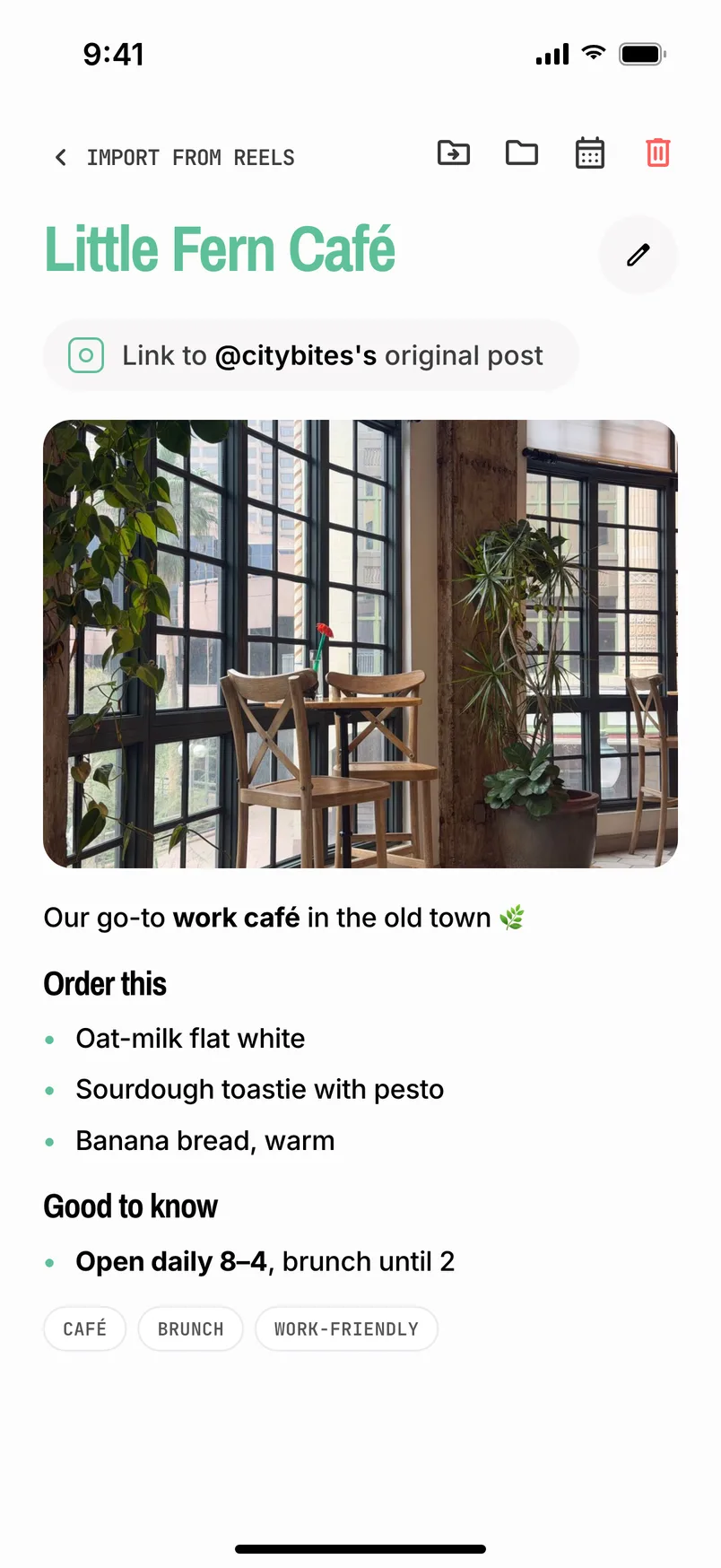
A saved café post in Live with its caption and tags
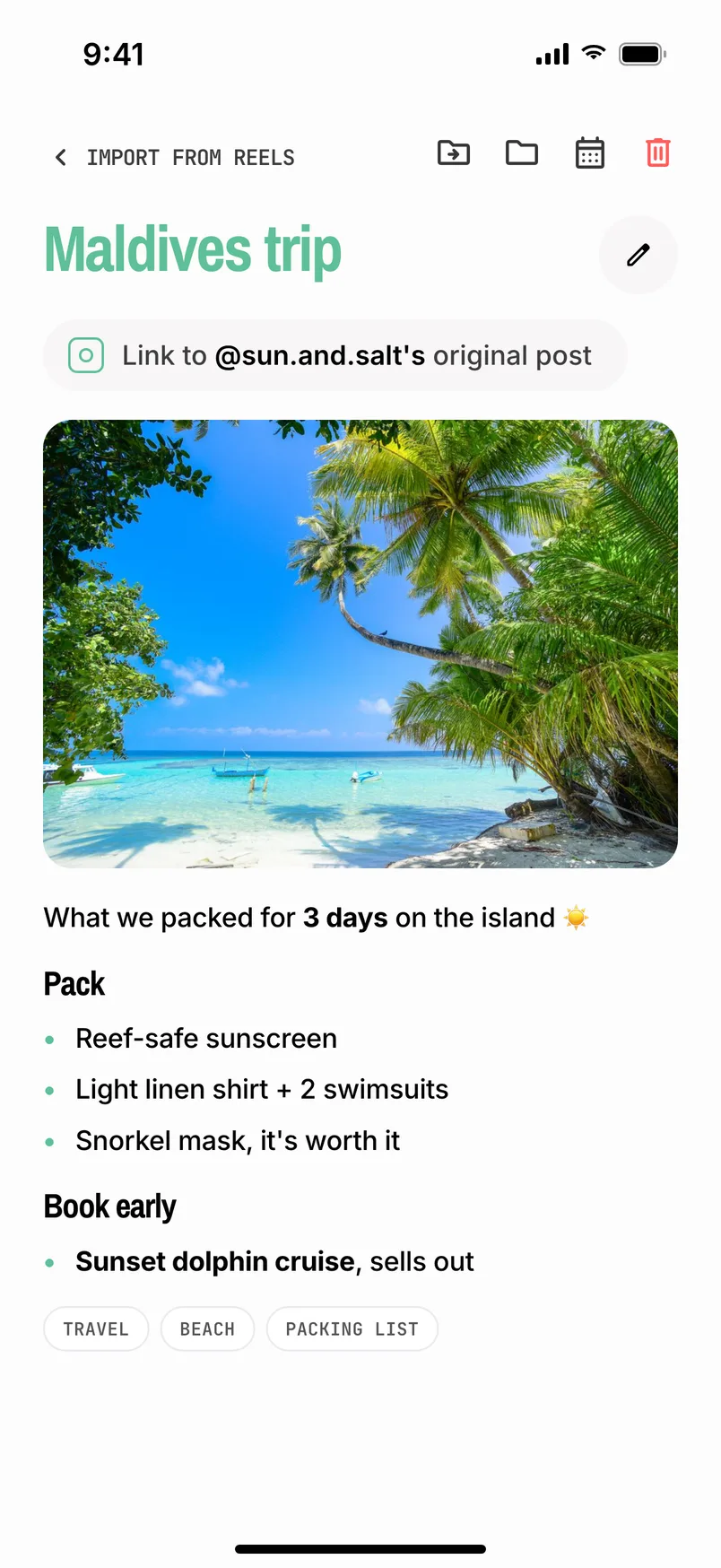
A saved travel post in Live with a packing list
Live

Everything else: places, trips, lists.

The café you want to try, a routine for better sleep, a packing list for your next trip. FitClips keeps the link with a title, a short summary and tags.

  • Know what you savedNo more opening ten posts to find the one you meant.
  • Saved in the wrong place?Tap “Wrong place?” and FitClips redoes it from the original post.
  • Folders for every tabMove, Eat and Live each have their own folders.
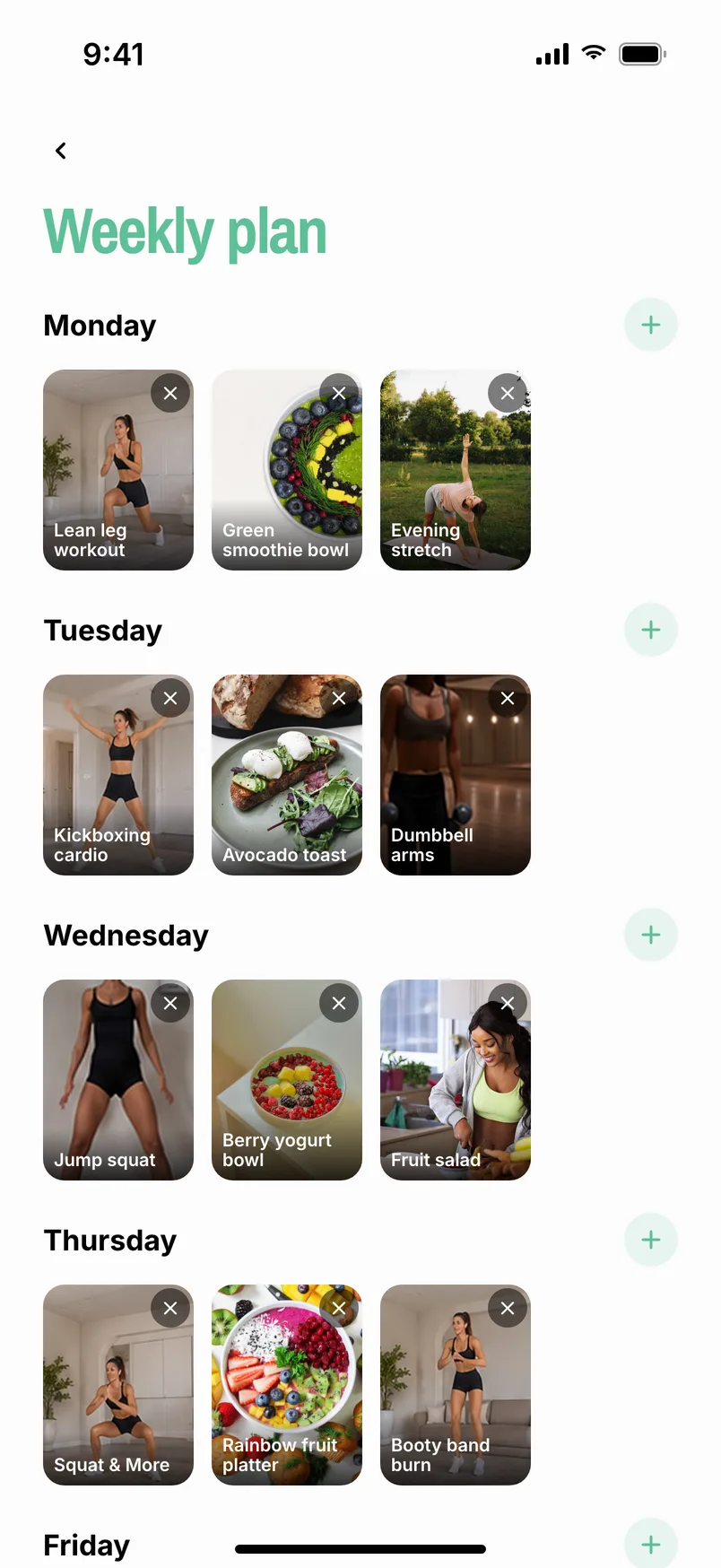
  • Plan it inPut workouts and recipes on any day of your week.

Plan your week

Add workouts and recipes from your library to any day. Open today and it's all there.

FitClips weekly planner

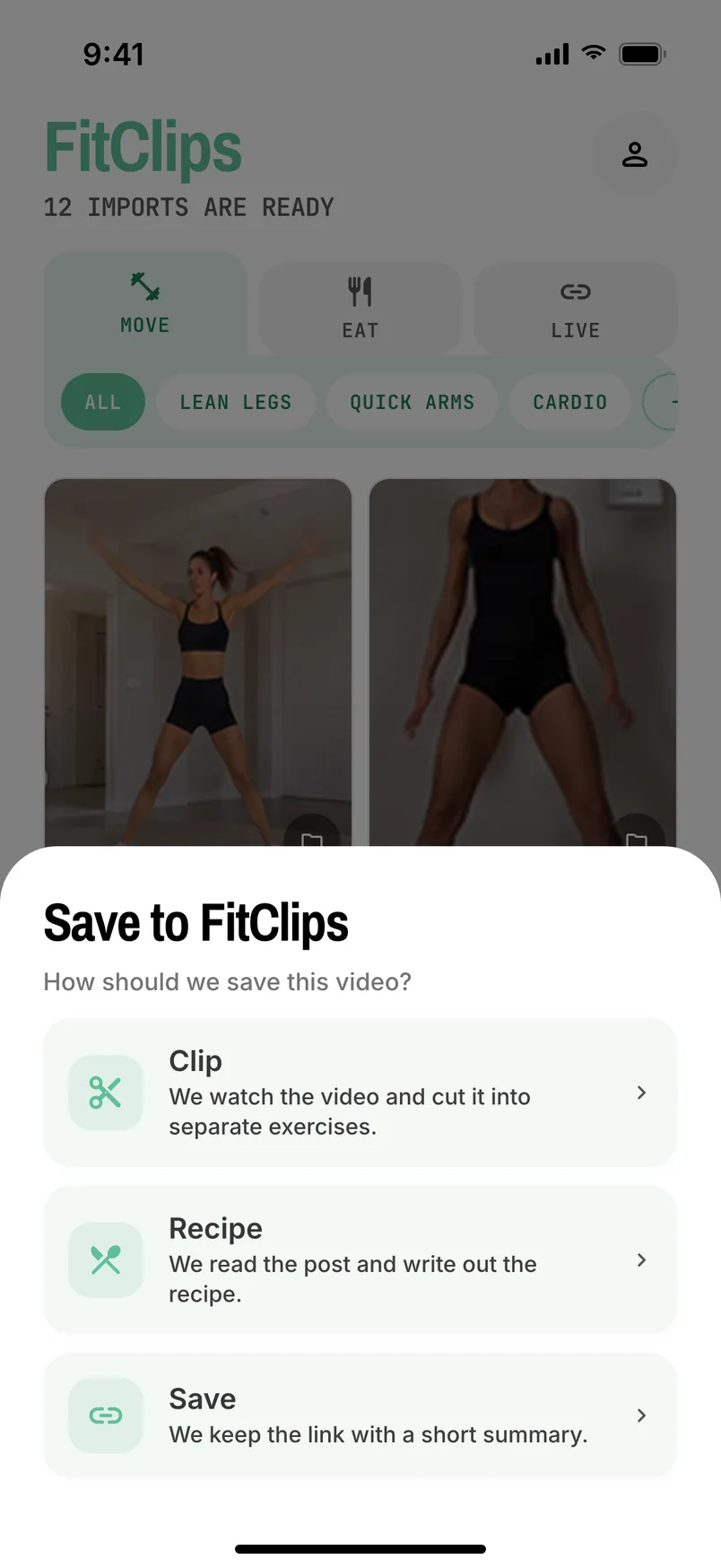
Import without leaving the app

Send a post to FitClips straight from Instagram, TikTok or YouTube. No copying links.

Choosing Clip, Recipe or Save for a shared post

Try it free for 7 days.

One subscription unlocks everything. You don't need an account to start.

Prices are in US dollars. The App Store and Google Play show the price for your country before you pay. The trial is for new subscribers. Your subscription renews until you cancel it in your App Store or Google Play account.

AnnualBest value
$59.99 / year

$5.00 a month, billed once a year.

Monthly
$7.99 / month

Billed every month.

ImportsEach monthFree trial
Workout videos10030
Recipes3010
Carousels107
Saved links15050

Questions people ask.

Which apps can I import from?

Instagram, TikTok and YouTube. Reels, Shorts, regular videos, carousels and TikTok photo posts all work. Posts from private accounts can't be imported.

What is the difference between Clip, Recipe and Save?

Clip watches a workout video and cuts it into separate exercises. It goes to Move.

Recipe reads the post and writes out the recipe. It goes to Eat.

Save keeps the link with a short summary. It goes to Live.

How long does an import take?

Most posts are done in one to three minutes. You can close the app; we send a notification when it is ready.

Why did my import fail?

Usually one of these: the account is private, a workout post has photos instead of video, the video is longer than five minutes, or the platform blocked the download for a moment. Tap Retry on the card first; a blocked download often works on the second try. If it keeps failing, send us the link at info@fitclipsapp.com.

Do I need an account?

No. Your subscription works without one. Creating an account keeps your library safe and lets you use it on another device. You can create one any time in Profile.

Is FitClips on iPhone and Android?

Yes. Download it from the App Store or Google Play.

How do I cancel?

On iPhone: Settings, your name, Subscriptions, FitClips. On Android: Google Play, Profile, Payments and subscriptions, Subscriptions, FitClips. You keep access until the end of the period you have already paid for. Deleting the app does not cancel the subscription.

Who owns the videos I save?

The creators do. FitClips keeps your saves in your private library and links back to the original post. Rights holders can reach us through our copyright policy.

More answers on the support page.

Move. Eat. Live.

All of it in one app, on iPhone and Android.

Download on the App Store Get it on Google Play